Categories
Android Apps FaceBook

How to Disable Facebook Video Auto Play on Android

One of the new features of Facebook that can get to you is the feature where any video in Facebook Auto plays when it scrolls into view. This feature while useful can be irritating if you don’t like videos playing and audio blaring unexpectedly.  Here is a simple step by step method to Disable Facebook Video Autoplay in Android.

Disable Facebook Video Auto Play on Android

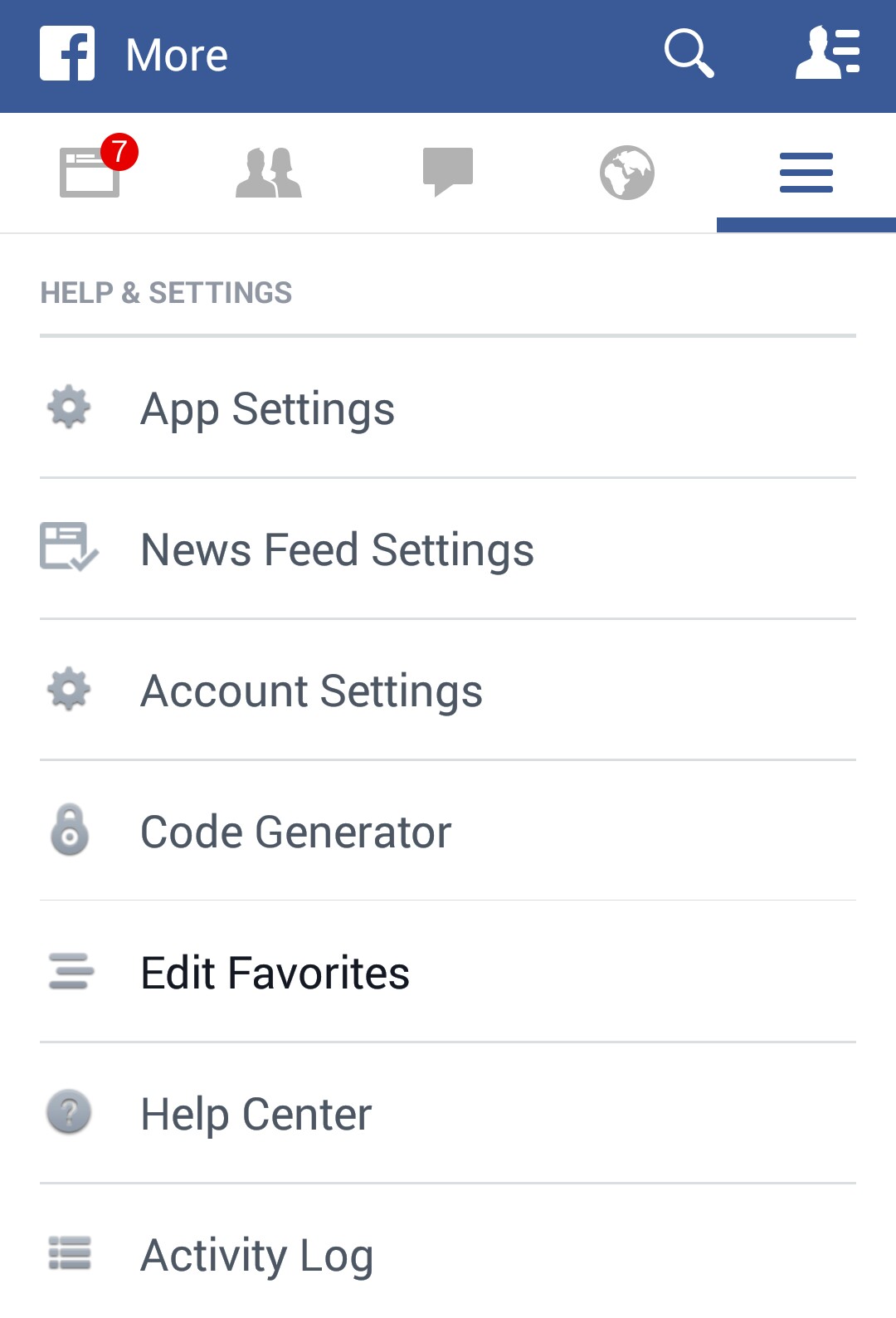
  1. Open Facebook app and Open the Menu by selecting the “3 Horizontal Bars” on the top right of the App, as shown below
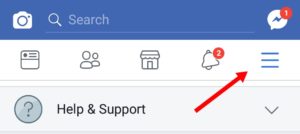
    Click on the 3 Horizontal Bars to open the Facebook Menu
  2. Select “App Settings” from the Main Menu (as shown below)
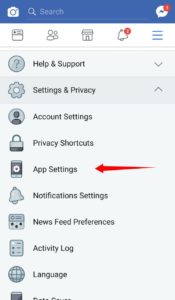
    Select Facebook App Settings
  3. Turn Off the setting “Videos in News Feed Start With Sound” if you dont want videos to start with Audio On in your Facebook App
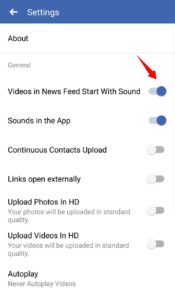
    Turn off Audio in Facebook Videos
  4. Scroll Down and Select “Autoplay” menu item
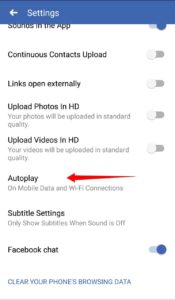
    Select Autoplay Option in App Settings in Facebook App
  5. Select “Never Autoplay Videos” to completely disable this feature.  Pick “On Wi-Fi Connections Only” if you don’t want the videos to autoplay on Mobile Data (useful to conserve mobile data)
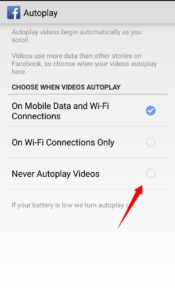
    Disable Autoplay of Videos

You can Disable Facebook Vidoes from Autoplaying in the News Feed using these steps.

Categories
Android Apps Device Open Source Solutions

Swift Key – Turn Off Keyboard Touch Vibration

Swift Key is one of the best keyboards for Android and IOs. By default, its configured to enable vibration on key press (usually it takes the system defaults). If you are someone who dislikes this feature, here is a simple way to turn off keyboard touch vibration in it:

Steps to Disable Keyboard Touch Vibration in Swift Key:

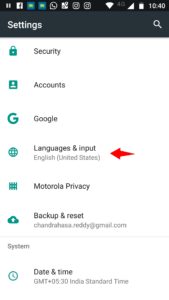
  • Go to Home -> Settings -> Language & input

    Android Settings Page
    Android Settings Page
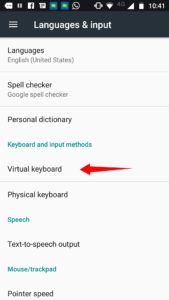
  • Tap on “Virtual Keyboard”
    Android Language & input
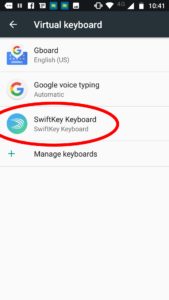
  • Locate “SwiftKey Keyboard” in the list and tap it
    Virtual Keyboard Menu
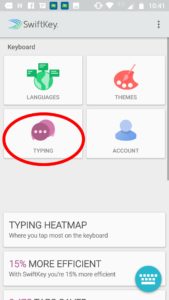
  • This will open the SwiftKey Settings… Tap on “Typing”
    Swiftkey Settings
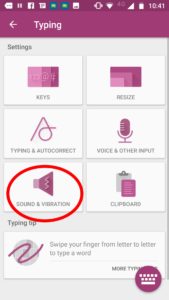
  • Tap on “Sound & Vibration”
    Swiftkey Sound and Vibration Menu
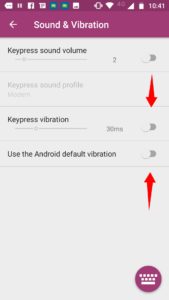
  • Turn off “Keypress Vibration” & “Use the Android default vibration”
    Disable Vibration in SwiftKey
Categories
Android Apps Device Nexus 5

Error 70 Gapps install – Fixed

If you are encountering the following error while trying to flash Gapps with your custom rom:

Error 70: Insufficient storage space available in System partition.

Here is the simple fix for the problem:

  • Flash a smaller size version of the Gapps ROM via TWRP.  Pick either Pico/Micro versions of the ram.
  • For Nexus 5 and CM14/Lineage the Micro Version works just fine
  • After installing the smaller version you can install the remaining apps via the Play Store


Categories
Android Apps Device Open Source Solutions

How to Disable Back Button Press in Android

You need to override the “onBackPressed” method to avoid the default action. You can leave the function empty if you dont want any action to be taken on press of the Back Button.

The Code:

@Override
public void onBackPressed() {
}

Note: this requires API Level 5 or higher.

Categories
Android Apps FaceBook Solutions Web

How to Disable Facebook Links from opening in the Facebook App Browser

Facebook logo Español: Logotipo de Facebook Fr...Facebook recently update added a new feature to its mobile app. The feature loads all links clicked on Facebook to open in the in-app browser as opposed to a browser installed on the phone. While this is faster, it seriously limits what you can do with the open page (for eg. sharing is limited). But fortunately this feature can be disabled.

To disable it, do the following:

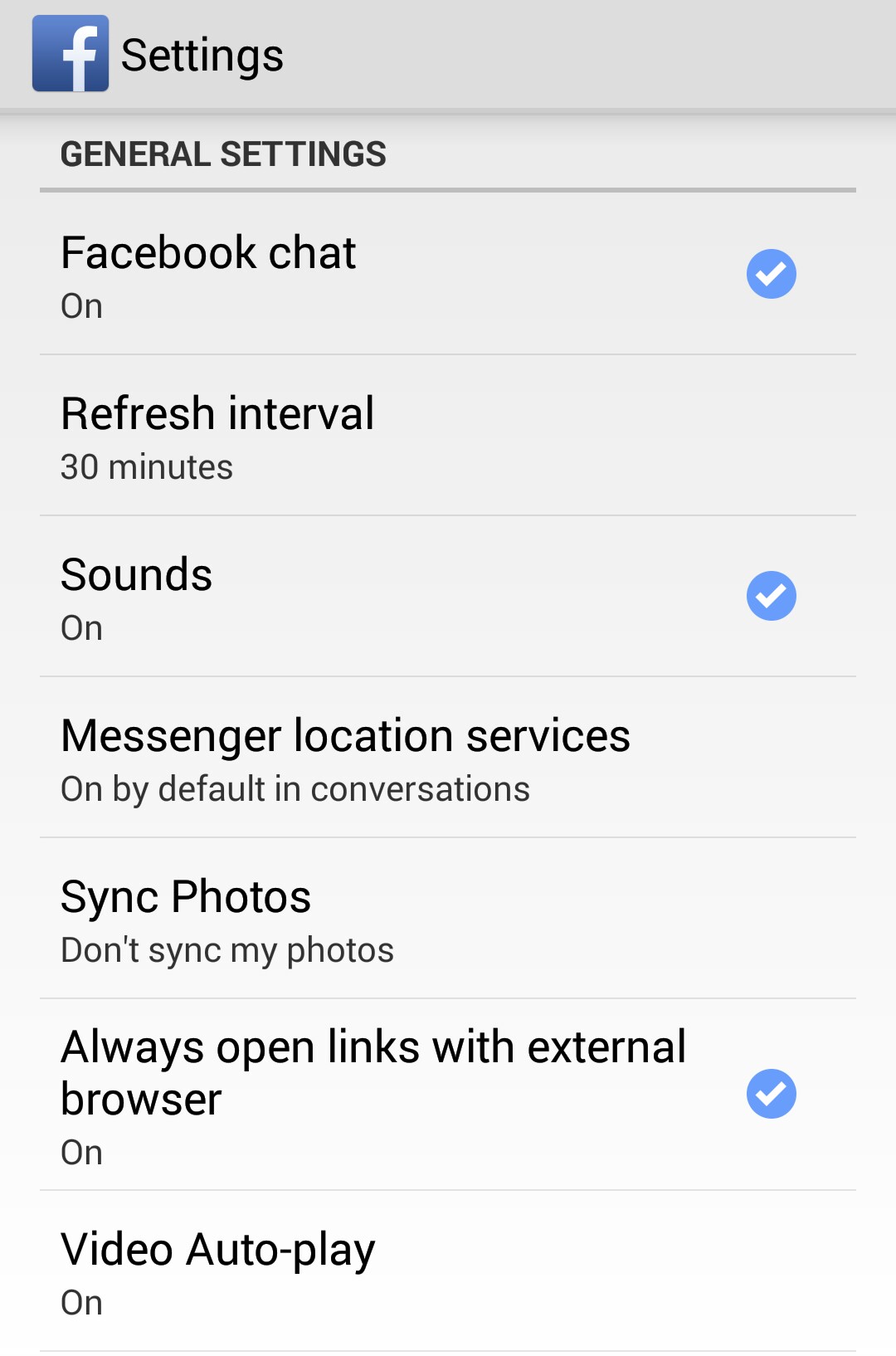
  1. In the Facebook app, goto Menu > App Settings
  2. In General Settings, you will find the “Always open links with external browser” option. Tap it to Enable it.
  3. Now your facebook app should behave just the way it did before the update.

Screenshots:
_20141117_204056 _20141117_204038