Categories
Android Apps

How to Fix the “Could Not Install On USB Storage Or SD Card” Error – Android

Android Market
Image via Wikipedia

The “Could Not Install On USB Storage Or SD Card” error on Android phones apparently occurs when something goes wrong with the installation of an app and temp file is left on your Android OS. There is a work around and a fix for this problem.

The Work Around:

  • Unmount your SD card
  • Install the app
  • Mount your SD card
  • Move the app to the SD card
{adinserter 3}

The Fix:
Note: I suggest you backup your sd card before you try this method. It worked perfectly on my Galaxy Ace but there is no guarantee that it might not cause any data loss.

  • Connect your phone to your PC as a mass storage device
  • Backup important data
  • Find the folder named “.android_secure”
  • Inside it, delete the file called “smdl2tmp1.asec”
  • Disconnect your phone
  • Install the App you were trying to install

Hope this helps you 🙂

Categories
Android

Set Contact’s Default Picture/Name/Number In A Single Shot – Android

Android robot logo.
Image via Wikipedia

One of the best features of Android is its ability to merge your social networking accounts with your contacts. By doing that it brings all the information needed by you to a single place and makes it extremely easy to communicate by centralizing your contacts.

But on the flipside, it becomes extremely irritating when you realize that a contact has multiple userpics for different services and your phone has picked the random animated image as the default.

So how do we fix this problem and select the right default image for a contact?

Fortunately there is a simple way to specify the Default Picture/Name/Number/Email for a contact.
{adinserter 3}
To change the default information of a contact do the following:

  1. In your contacts page (where you have the list of your contacts) long press a contact that you want to change.
  2. When the menu comes up, press select “Mark as Default”
  3. Now you will be given a list of options for the Contacts details.
  4. Select the default in each section and hit save
Categories
Android Apps

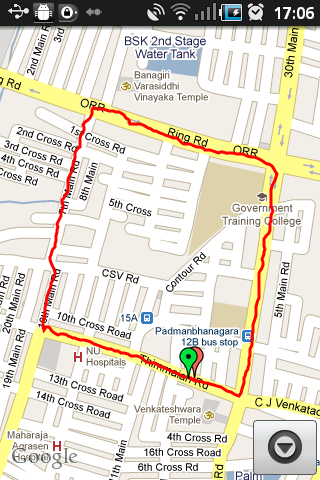
3 Apps For Logging Runs – Android

There are a lot of health and fitness apps out there for Android devices. I have been actively trying out different apps to log my daily runs and found only a few apps fit the bill. Seeking a fine balance between versatility, stats, fancy graphs and motivation; I narrowed down my favorites to the following:

  1. My Tracks
  2. Run Free
  3. Run Keeper

Categories
Web

Use Packrati to Automatically Bookmark your Twitter Shared Links

Image representing Packrati.us as depicted in ...
Image via CrunchBase

Packrati.us provides a simple service that bookmarks every single link you post in your Twitter feed. Additionally it even bookmarks links in tweets you mark as your favorite. It also uses any hashtags you include as tags for your bookmark and includes the full text of the tweet in the bookmark comments.

Packrati is a wonderful lifesaver when you are in search of that link you tweeted ages ago but cant seem to find anywhere.