Categories
Linux Solutions Ubuntu

Clean up unnecessary files using KleanSweep

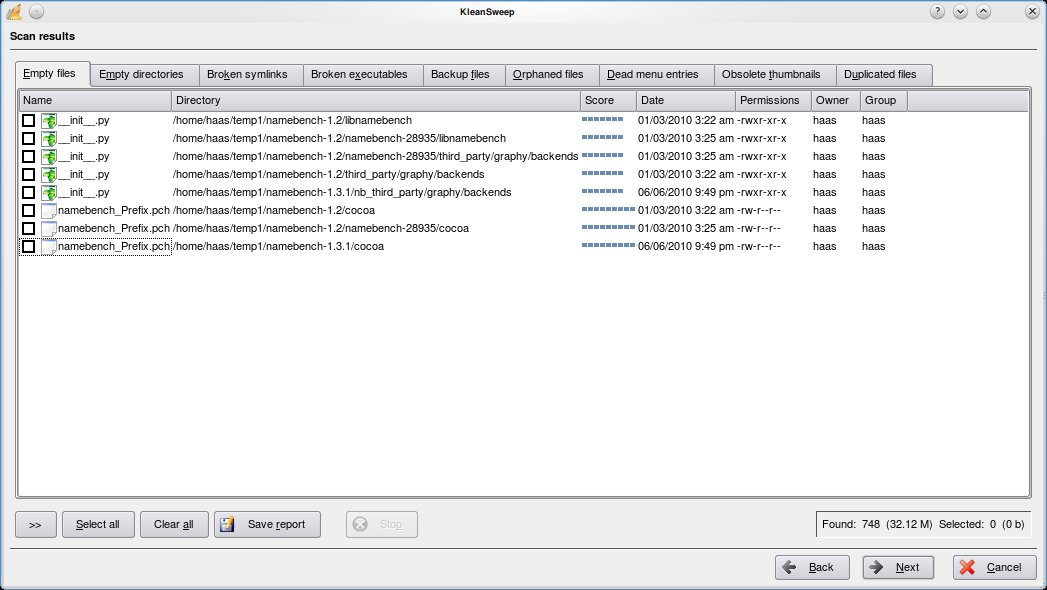
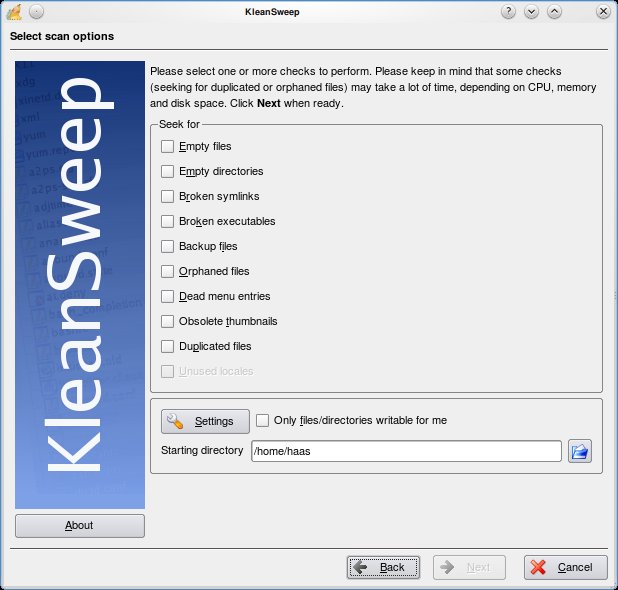
KleanSweep is a wonderful application to help you clean up the unnecessary files from your computer. KleanSweep searches and finds Empty files and directories, Broken Symlinks, Backup files, Orphaned Files, Dead menu entries, Obsolete thumbnails and Duplicated files.

Using KleanSweep is as straight forward as choosing what you are searching for and selecting the directory to search. The files that match your criteria are searched and listed for you to remove from your system.

Other similar project include FDupes and FSlint for Linux & Duplicate File Finder (DupFiles) for Windows

Categories
Linux Solutions

Deleting those Pesky Hard to Delete files…

Sometimes we find a file in our filesystem with a weird non realistic name, which was probably created by mistake. There can be hundreds of reasons why this file got created but due to its unique uncharacteristic name its almost impossible to delete the file in the usual way(right click delete or rm on command line)

Eg,. a file with the name “??@@???@8” got created on my home drive and I cannot delete, move or rename the file.

To delete such a file we need to delete it using its inode number as the reference. You can get the inode number of the file by executing the following command in the directory containing the file

ls -il

Output:
1130895 -rw-r--r-- 1 tech tech 0 2010-07-02 15:49 ??@@???@8
1131122 drwxr-xr-x 4 tech tech 4096 2010-03-12 22:54 Bills
286834 drwxr-xr-x 5 tech tech 4096 2010-05-06 12:26 Blog
1131109 drwxr-xr-x 2 tech tech 4096 2010-05-06 12:24 Books
1139338 drwxr-xr-x 3 tech tech 4096 2010-05-06 12:26 Friends
1156511 drwxr-xr-x 3 tech tech 4096 2010-07-31 11:02 Photos

As you can see the console does not recognize the name of the file correctly, this is exactly the reason why it was failing to delete the file. The first number in the line is the inode number. To delete the file we will use the following command:
find . -inum <inode-number> -exec rm -i {} \;

Output:
tech@chandrahasa.com:~/Documents$ find . -inum 1130895 -exec rm -i {} \;
rm: remove regular empty file `./\001\223@@\360\006\v@8'? y
tech@chandrahasa.com:~/Documents$
Enhanced by Zemanta
Categories
Linux Media Open Source

Managing Collections with Tellico

Tellico
Image by *Luana* via Flickr

Tellico is a versatile collection manager for Linux. The KDE based application is designed to handle almost any type of perceivable collection and convert it to a easily manageable solution. If you have a huge collection of movies, music, books, comics ect and regularly lend them out, Tellico is the perfect program to keep track of your collections.

Tellico has pre-designed support for collections of: Books, Comics, Movies, Music, Coins, Stamps, Board Games, Wines. Cards and Games. The databases are designed to make data entry and search both relevant and easy.

Categories
Hardware Open Source Solutions Ubuntu

Playing DVDs in Ubuntu

Dvd-video-logo
Image via Wikipedia

Ubuntu by default does not play encrypted DVDs. This is because most commercial DVDs are encrypted with CSS (Content Scrambling System), which restricts the software that can play a DVD.

To enable you must install the libdvdcss2 package to allow Ubuntu to play DVDs. For that you need to run the following commands:

sudo apt-get install libdvdread4

Followed by:

sudo /usr/share/doc/libdvdread4/install-css.sh

That will install the required libraries and now your encrypted DVDs will be readable.

Please Note: Check with your local laws to make sure that usage of libdvdcss2 would be legal in your area.

Enhanced by Zemanta
Categories
Linux Ubuntu

Apt-Get: Fixing GPG Error

While updating a Debian based system, you may encounter an error as follows:

W: GPG error: http://ppa.launchpad.net lucid Release: The following signatures couldn't be verified because the public key is not available: NO_PUBKEY 2836CB0A8AC93F7A

This is a feature of the apt-get package manager that checks the authenticity of servers while updating Debian. It just means that the system is unsure if the repository it listed is safe to receive updates from.

To fix this problem (provided you are sure that the repository is safe), all you need to do is execute the following commands with the pubkey you received in the error:

gpg --keyserver pgpkeys.mit.edu --recv-key 2836CB0A8AC93F7A
gpg -a --export 2836CB0A8AC93F7A | sudo apt-key add -

From now on Apt-Get will recognize that repository and not give you a GPG error.

Enhanced by Zemanta