Categories
Web

Download Online Videos using ClipGrab

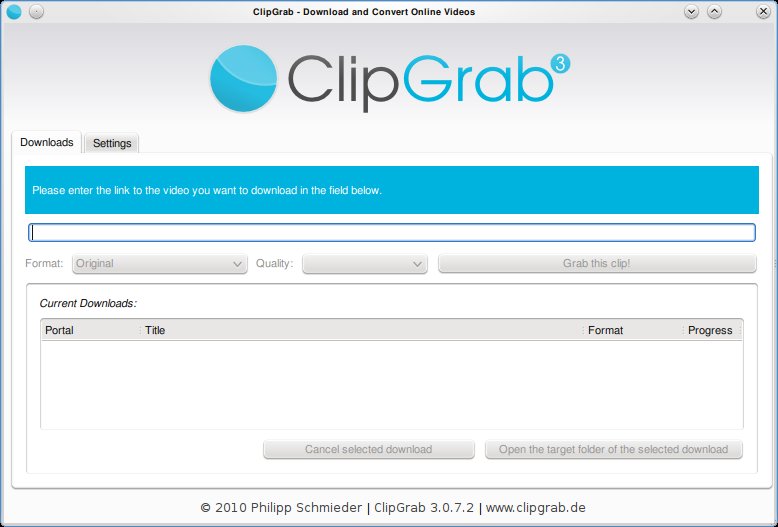
Clipgrab is an program that downloads videos from popular online video sites like youtube, vimeo ect and saves the video in the format of your choice. The application is very straight forward to use and provides a good set of options that make it easy for the user to customize their download.

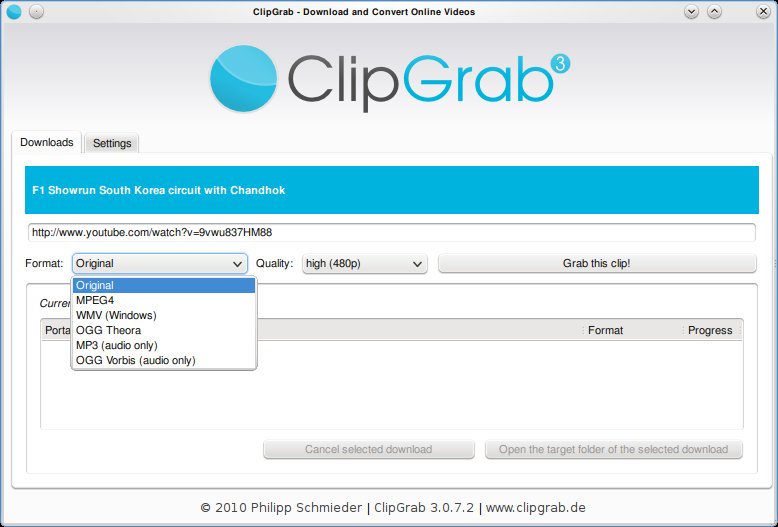
Clipgrab requires the user to simply type in the url of the video. This can be copied from the web browser. Once done, Clipgrab gives the details of the video including the different sizes its available for download and the different formats it can be converted to. Hit the “Grab this Clip!” option to download the video.

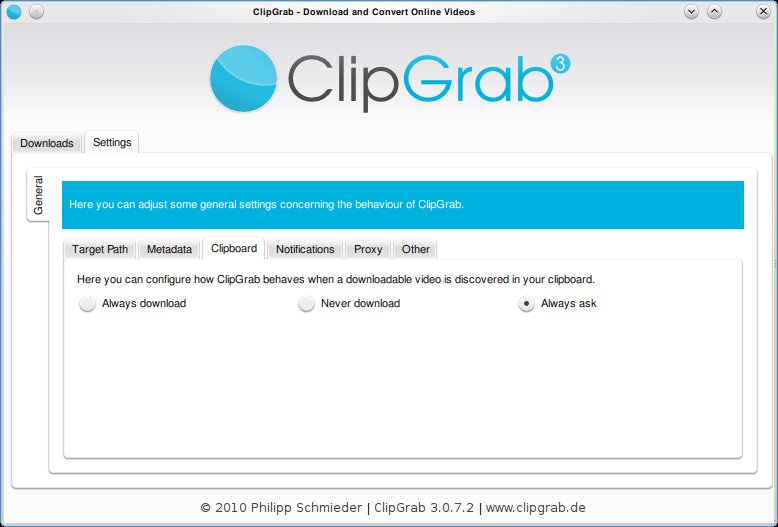
Clipgrab also monitors your clipboard to pick up urls when ever they are copied. Then it throws a notification asking you if you want to download the clip.
Clipgrab is available for Linux, Windows and Mac and can be downloaded from here: http://clipgrab.de/start_en.html

For ubuntu systems you can use the PPA repository to download Clipgrab:

sudo add-apt-repository ppa:clipgrab-team/ppa

sudo apt-get update

sudo apt-get install clipgrab

Enhanced by Zemanta


Categories
Linux Solutions Ubuntu

Solve Choqok’s Twitter Connectivity Problems…

This file is created by Roozbeh Shafiee for Ch...
Image via Wikipedia

Choqok the new and impressive micro-blogging client for KDE is one of the best clients for microblogging sites. The tool available via the default repositories of Ubuntu does not support the latest OAuth authentication of Twiiter. This means that it wont be able to connect to twitter.

You will need the latest version of Choqok to be able to reconnect to twitter. This can be done as shown below

  • Open the Konsole and execute the following commands:
  • $ sudo add-apt-repository ppa:adilson/experimental

    $ sudo apt-get update

    $ sudo apt-get install choqok

  • Once installed you will need to reauthenticate your twitter feeds.
    Select the Settings -> Configure Choqok menu item
    In the Accounts tab remove all the old twitter accounts and add them back again
    For each account you will be taken to twitter.com to give permission for Choqok to access your data
    Once done you will get a number, copy-paste the number back in Choqok dialog to get Choqok working again.

The new Choqok also has added features of auto-complete for friend names and better integration with url shortening sites.

Enhanced by Zemanta
Categories
FaceBook Web

Search for Your Blog’s Recommended Pages on FaceBook

Facebook logo
Image via Wikipedia

Facebook is fast becoming one of ‘the’ places to promote your blog. Integrating your site well with facebook not only drives great traffic but also provides great exposure for your writing. People share webpages on Facebook all the time, just include the url of interest in any message and FB will insert an image from the page and a short description below the message.

So how do you know if any of your blog’s contents have been shared on the most popular social networking site on the web?

On my personal blog titled “New Sense” I recently included a nice looking toolbar at the bottom. The toolbar also provides a button for recommendations via facebook. Clicking on it will show a list of pages from my blog that were shared on Facebook (Click on Recommendations at the toolbar at the bottom)

If you want to see a similar list for your blog, go to this page -> Recommendations

At the bottom of the page you will find a form similar to the one shown in the image below. Type in the address of your blog and voilà you should get the list of shared items from your blog.

Enhanced by Zemanta
Categories
Linux Ubuntu

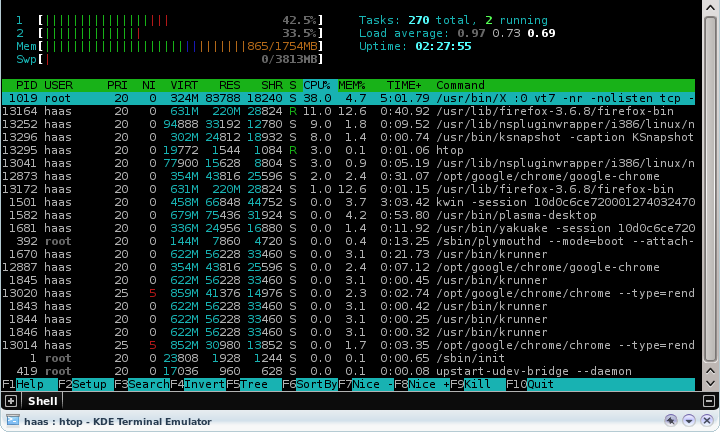
Use htop For Better Memory Usage Details on Linux


htop is a simple and wonderful tool to view the current memory usage on a Linux box. The tool is upgraded version of the top command, providing users some interactive menus and even mouse based control of sorting and menu access.

To install htop on your ubuntu system, execute the following command in a console:
sudo apt-get install htop
Run htop via a console.

Enhanced by Zemanta
Categories
Linux Solutions Ubuntu

Clean up unnecessary files using KleanSweep

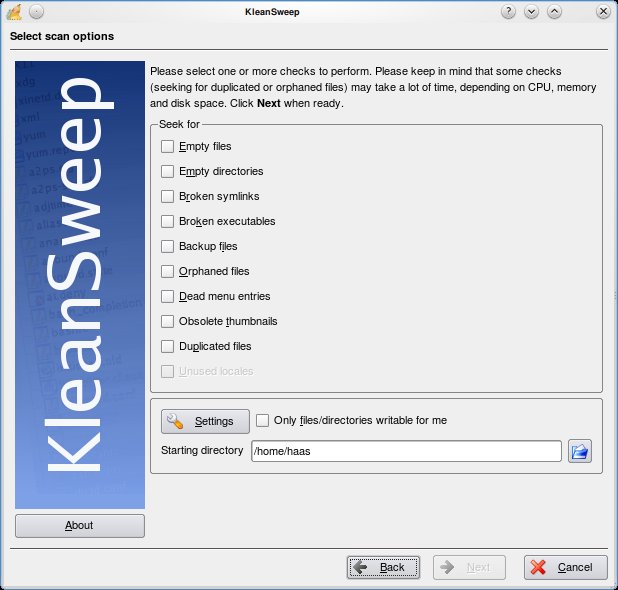
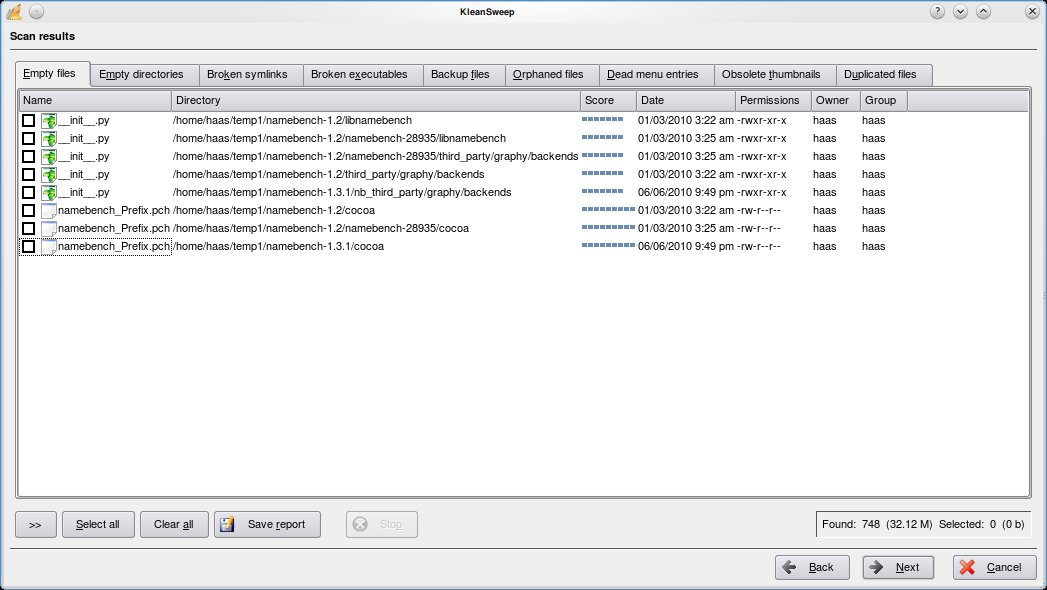
KleanSweep is a wonderful application to help you clean up the unnecessary files from your computer. KleanSweep searches and finds Empty files and directories, Broken Symlinks, Backup files, Orphaned Files, Dead menu entries, Obsolete thumbnails and Duplicated files.

Using KleanSweep is as straight forward as choosing what you are searching for and selecting the directory to search. The files that match your criteria are searched and listed for you to remove from your system.

Other similar project include FDupes and FSlint for Linux & Duplicate File Finder (DupFiles) for Windows