Categories
Android

Set Contact’s Default Picture/Name/Number In A Single Shot – Android

Android robot logo.
Image via Wikipedia

One of the best features of Android is its ability to merge your social networking accounts with your contacts. By doing that it brings all the information needed by you to a single place and makes it extremely easy to communicate by centralizing your contacts.

But on the flipside, it becomes extremely irritating when you realize that a contact has multiple userpics for different services and your phone has picked the random animated image as the default.

So how do we fix this problem and select the right default image for a contact?

Fortunately there is a simple way to specify the Default Picture/Name/Number/Email for a contact.
{adinserter 3}
To change the default information of a contact do the following:

  1. In your contacts page (where you have the list of your contacts) long press a contact that you want to change.
  2. When the menu comes up, press select “Mark as Default”
  3. Now you will be given a list of options for the Contacts details.
  4. Select the default in each section and hit save
Categories
Android Apps

3 Apps For Logging Runs – Android

There are a lot of health and fitness apps out there for Android devices. I have been actively trying out different apps to log my daily runs and found only a few apps fit the bill. Seeking a fine balance between versatility, stats, fancy graphs and motivation; I narrowed down my favorites to the following:

  1. My Tracks
  2. Run Free
  3. Run Keeper

Categories
Open Source Solutions Web

Best DNS, Got Even Better…

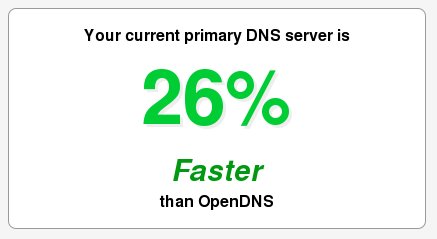
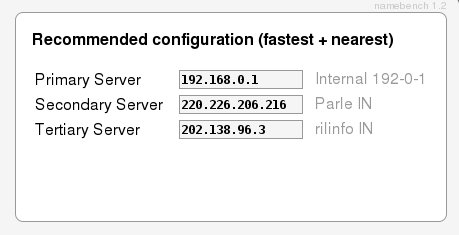
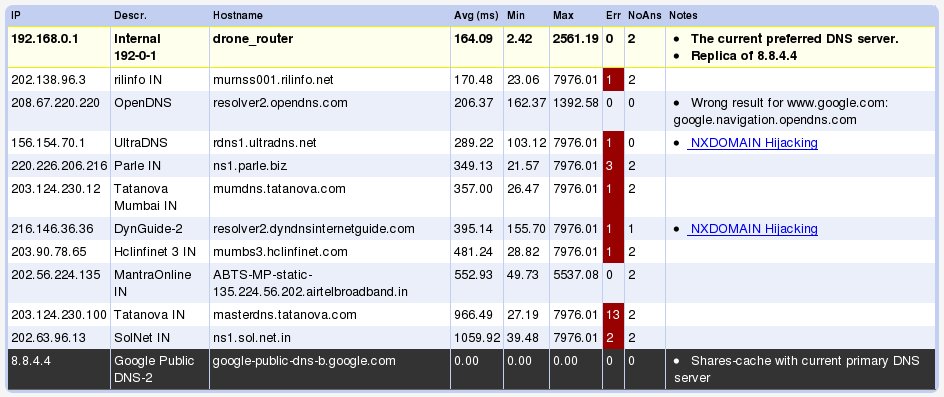
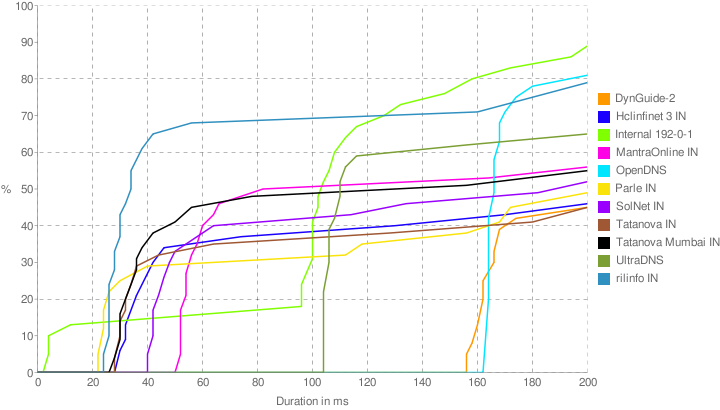
A while back on this site we had mentioned about a DNS benchmarking tool called Namebench.   The Google Code project has been having some major updates since then and now lookes more jazzier and generates some lovely graphs after analysing your connection for you.

The tool can be downloaded here: http://code.google.com/p/namebench/

Screenshots:

Reblog this post [with Zemanta]
Categories
Web

The Best DNS for you

Having a quick Domain Name Server is very important for that lightning quick internet experience. Fortunately there are ways for you to easily figure out which DNS works best for you.

Namebench as described at its website:

It hunts down the fastest DNS servers available for your computer to use. namebench runs a fair and thorough benchmark using your web browser history, tcpdump output, or standardized datasets in order to provide an individualized recommendation. namebench is completely free and does not modify your system in any way.

All you need to do is download the program and run it. After a few minutes of churning out calculations the program will tell you the best DNS settings for your system.

Reblog this post [with Zemanta]