Categories
Open Source Solutions Web

Firefox: Spell Check Single Line Fields

Mozilla Firefox word mark. Guestimated clear s...
Image via Wikipedia

Firefox by default spell checks text fields, it has the built in ability to spell check single line fields(search bars ect) but that is disabled by default.

To activate the ability of firefox to spell check single line fields, do the following:

  • Bring up your about:config page. You can do this by typing “about:config” in your address bar and clicking on “I’ll be careful, I promise” button
  • In the “Filter” field type layout.spellcheckDefault.
  • As you can see, the integer value is 1. Double-click on it, then enter 2 as its new value.
  • Click OK.
Reblog this post [with Zemanta]
Categories
Linux Open Source Ubuntu Web

Setting Up Simple Dropbox Integration with Ubuntu

Image representing Dropbox as depicted in Crun...
Image via CrunchBase

The default installer of Dropbox for Ubuntu works with the Nautilus file manager. But this integration is not always desireable, below is a method to install Dropbox on your Ubuntu box without installing Nautilus.

Categories
Open Source Web

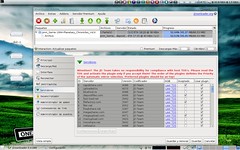
JDownloader – Download Files From File Sharing Sites At Will…

JDownloader (How to)
Image by .::E1ement2048::. via Flickr

JDownloader is a free java-based program that completely automates the process of downloading files from popular file sharing sites like Rapidshare, Megaupload ect…

The problem with most file sharing sites is that the free accounts have a limit on the amount to data you can download and additionally it requires you to wait for a certain period of time before downloading the files. JDownloader is a beautiful application that automates the process making it possible for you to schedule downloads and even queue files to be downloaded.

JDownloader works on Windows/Mac/Linux and is simple to get started with.
So if you like to download a lot of files from file sharing sites then give JDownloader a try…

Reblog this post [with Zemanta]
Categories
Open Source Solutions Web

Best DNS, Got Even Better…

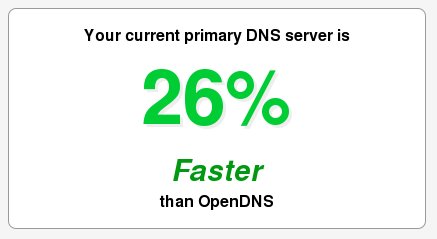
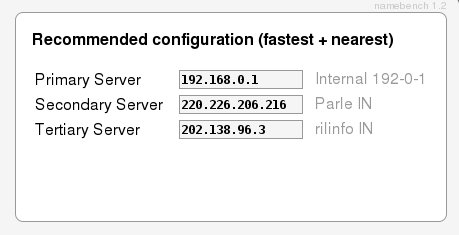
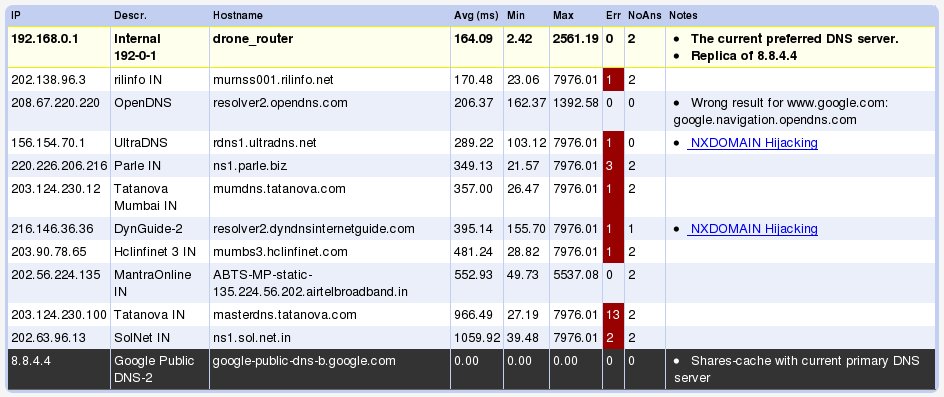
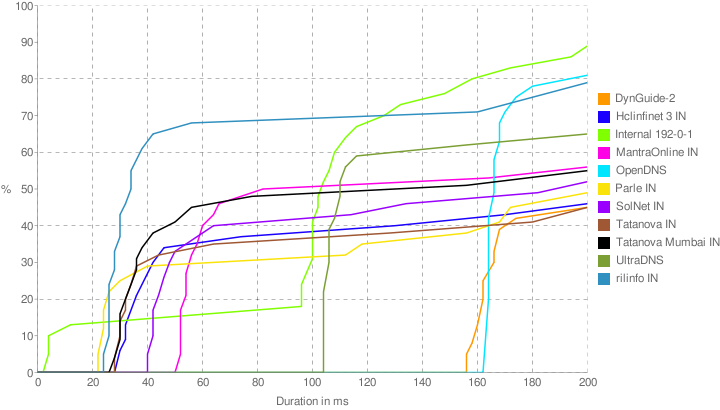
A while back on this site we had mentioned about a DNS benchmarking tool called Namebench.   The Google Code project has been having some major updates since then and now lookes more jazzier and generates some lovely graphs after analysing your connection for you.

The tool can be downloaded here: http://code.google.com/p/namebench/

Screenshots:

Reblog this post [with Zemanta]
Categories
Open Source Solutions Ubuntu

Upgrading to the Latest Firefox – Ubuntu Hacks

The generic globe logo used when Firefox is co...
Image via Wikipedia

Heard a lot of wonderful reviews of the latest firefox? Want to try it out on your Ubuntu box?
Well unfortunately Ubuntu does not update its Firefox packages immediately after the release. To give a good test run for the latest and best you need to add the repository for the latest release of firefox. The steps are explained below: