Categories
FaceBook Web

Search for Your Blog’s Recommended Pages on FaceBook

Facebook logo
Image via Wikipedia

Facebook is fast becoming one of ‘the’ places to promote your blog. Integrating your site well with facebook not only drives great traffic but also provides great exposure for your writing. People share webpages on Facebook all the time, just include the url of interest in any message and FB will insert an image from the page and a short description below the message.

So how do you know if any of your blog’s contents have been shared on the most popular social networking site on the web?

On my personal blog titled “New Sense” I recently included a nice looking toolbar at the bottom. The toolbar also provides a button for recommendations via facebook. Clicking on it will show a list of pages from my blog that were shared on Facebook (Click on Recommendations at the toolbar at the bottom)

If you want to see a similar list for your blog, go to this page -> Recommendations

At the bottom of the page you will find a form similar to the one shown in the image below. Type in the address of your blog and voilà you should get the list of shared items from your blog.

Enhanced by Zemanta
Categories
Linux Ubuntu

Use htop For Better Memory Usage Details on Linux


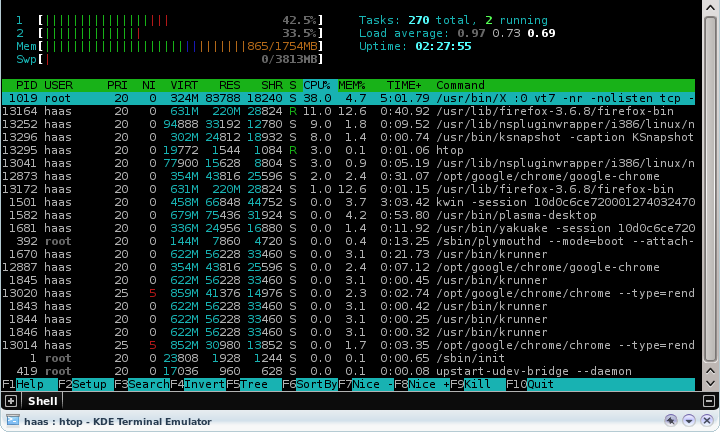
htop is a simple and wonderful tool to view the current memory usage on a Linux box. The tool is upgraded version of the top command, providing users some interactive menus and even mouse based control of sorting and menu access.

To install htop on your ubuntu system, execute the following command in a console:
sudo apt-get install htop
Run htop via a console.

Enhanced by Zemanta
Categories
Linux Solutions Ubuntu

Clean up unnecessary files using KleanSweep

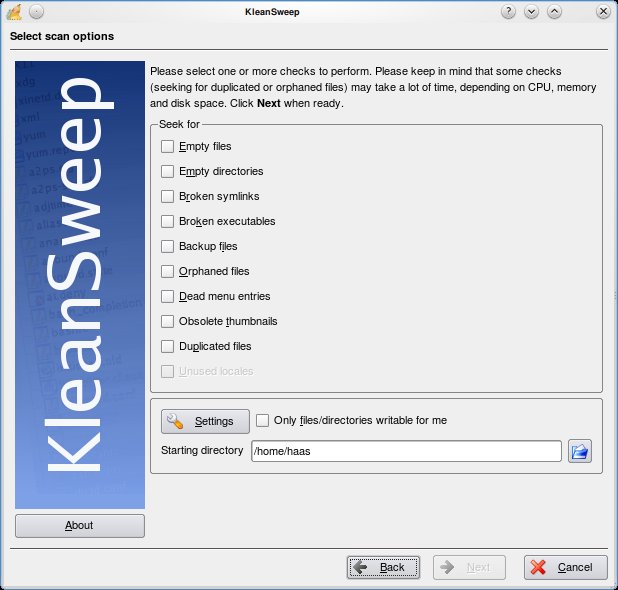
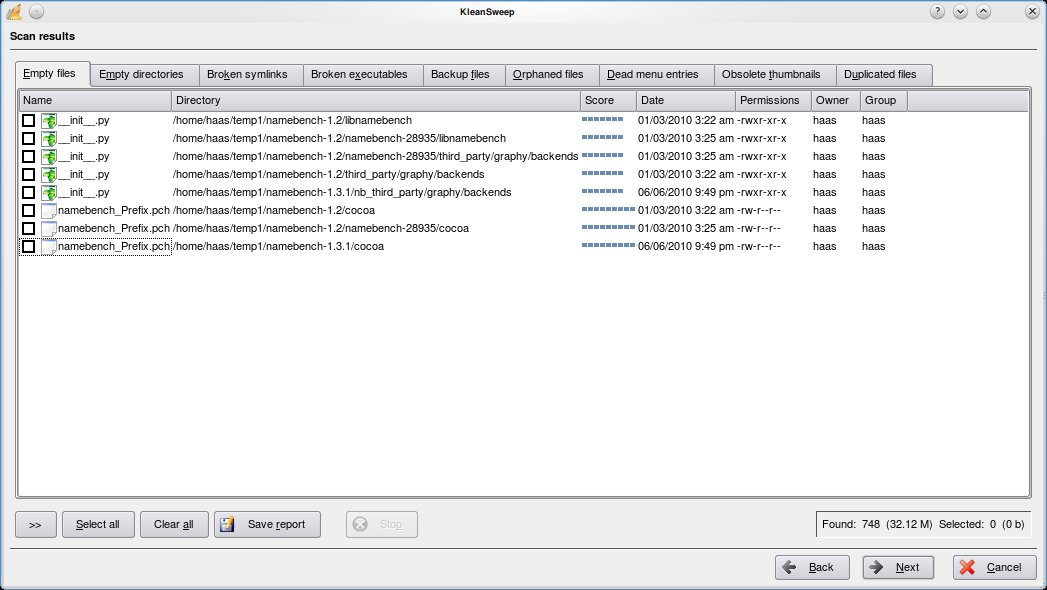
KleanSweep is a wonderful application to help you clean up the unnecessary files from your computer. KleanSweep searches and finds Empty files and directories, Broken Symlinks, Backup files, Orphaned Files, Dead menu entries, Obsolete thumbnails and Duplicated files.

Using KleanSweep is as straight forward as choosing what you are searching for and selecting the directory to search. The files that match your criteria are searched and listed for you to remove from your system.

Other similar project include FDupes and FSlint for Linux & Duplicate File Finder (DupFiles) for Windows

Categories
Linux Open Source

KNemo – Monitor your Internet usage…

KNemo is a Network monitoring program for Linux. The program stores information wrt the amount of data communicated thru your various LAN connections and also provides a way to automatically disable the internet on certain conditions.

KNemo is a simple addon program to your network management enabling you to control your internet usage. It also provides methods to disable internet in case you exceed the monthly bandwidth limit of your plan. Its an excellent tool to study your usage of internet over time.

To install Knemo on a ubuntu system, use the following command:
sudo apt-get install knemo

Enhanced by Zemanta
Categories
Linux Solutions

Deleting those Pesky Hard to Delete files…

Sometimes we find a file in our filesystem with a weird non realistic name, which was probably created by mistake. There can be hundreds of reasons why this file got created but due to its unique uncharacteristic name its almost impossible to delete the file in the usual way(right click delete or rm on command line)

Eg,. a file with the name “??@@???@8” got created on my home drive and I cannot delete, move or rename the file.

To delete such a file we need to delete it using its inode number as the reference. You can get the inode number of the file by executing the following command in the directory containing the file

ls -il

Output:
1130895 -rw-r--r-- 1 tech tech 0 2010-07-02 15:49 ??@@???@8
1131122 drwxr-xr-x 4 tech tech 4096 2010-03-12 22:54 Bills
286834 drwxr-xr-x 5 tech tech 4096 2010-05-06 12:26 Blog
1131109 drwxr-xr-x 2 tech tech 4096 2010-05-06 12:24 Books
1139338 drwxr-xr-x 3 tech tech 4096 2010-05-06 12:26 Friends
1156511 drwxr-xr-x 3 tech tech 4096 2010-07-31 11:02 Photos

As you can see the console does not recognize the name of the file correctly, this is exactly the reason why it was failing to delete the file. The first number in the line is the inode number. To delete the file we will use the following command:
find . -inum <inode-number> -exec rm -i {} \;

Output:
tech@chandrahasa.com:~/Documents$ find . -inum 1130895 -exec rm -i {} \;
rm: remove regular empty file `./\001\223@@\360\006\v@8'? y
tech@chandrahasa.com:~/Documents$

Enhanced by Zemanta