Categories
Linux Ubuntu

Choqok – Patch for Twitter API 1.1


This file is created by Roozbeh Shafiee for Ch...

With the recent move by Twitter to support only clients that use its API version 1.1, Choqok has stopped updating feeds in its latest official build. There is frantic work going on in the background to get the support up and running but till its available via official channels here is a quick way to get Choqok working again.

Categories
Android Apps Solutions

Problem Loading Widget – Solved Android Error

Problem loading Widget Error – Sometimes Widgets on the Android home page fail to load and are replaced by “Problem Loading Widget” error. The main causes of this error include:

  • Removal of the Application that gave you that widget
  • Moving of the specific (Widget) Application from Internal Memory to SD card
  • Upgrading of the Application
  • Upgrading of the core operating system (leading to reinstall of the Application)
  • Change of SD card

There is no simple way to fix this error, as it can depend on what caused the error in the first place and how the Widget was originally designed.  Here are some quick steps you can follow to recover your widget:

Categories
Android Apps

How to Fix the “Could Not Install On USB Storage Or SD Card” Error – Android

Android Market
Image via Wikipedia

The “Could Not Install On USB Storage Or SD Card” error on Android phones apparently occurs when something goes wrong with the installation of an app and temp file is left on your Android OS. There is a work around and a fix for this problem.

The Work Around:

  • Unmount your SD card
  • Install the app
  • Mount your SD card
  • Move the app to the SD card
{adinserter 3}

The Fix:
Note: I suggest you backup your sd card before you try this method. It worked perfectly on my Galaxy Ace but there is no guarantee that it might not cause any data loss.

  • Connect your phone to your PC as a mass storage device
  • Backup important data
  • Find the folder named “.android_secure”
  • Inside it, delete the file called “smdl2tmp1.asec”
  • Disconnect your phone
  • Install the App you were trying to install

Hope this helps you 🙂

Categories
Web

Download Online Videos using ClipGrab

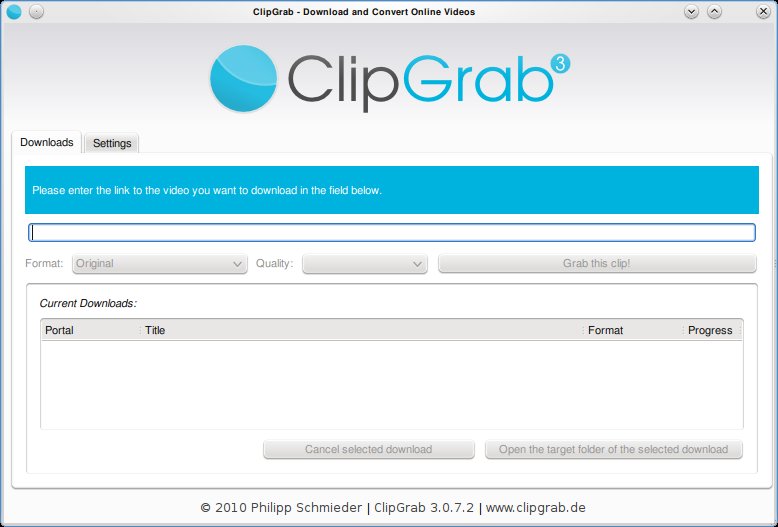
Clipgrab is an program that downloads videos from popular online video sites like youtube, vimeo ect and saves the video in the format of your choice. The application is very straight forward to use and provides a good set of options that make it easy for the user to customize their download.

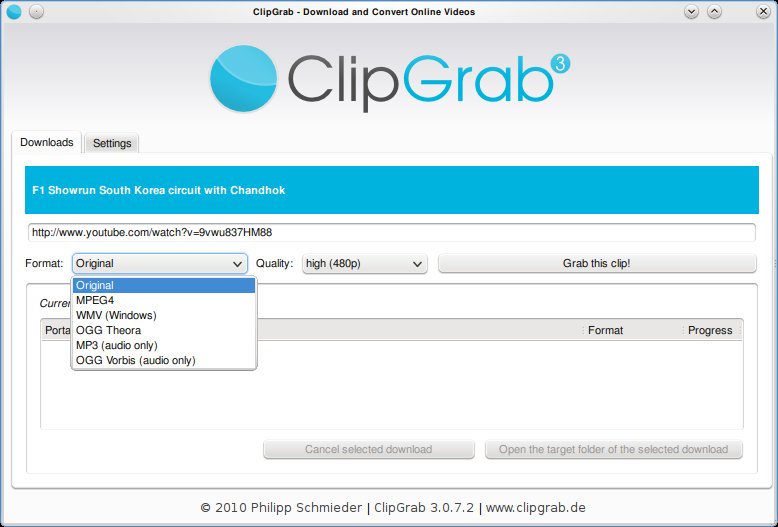
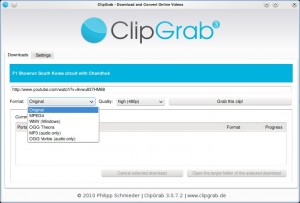
Clipgrab requires the user to simply type in the url of the video. This can be copied from the web browser. Once done, Clipgrab gives the details of the video including the different sizes its available for download and the different formats it can be converted to. Hit the “Grab this Clip!” option to download the video.

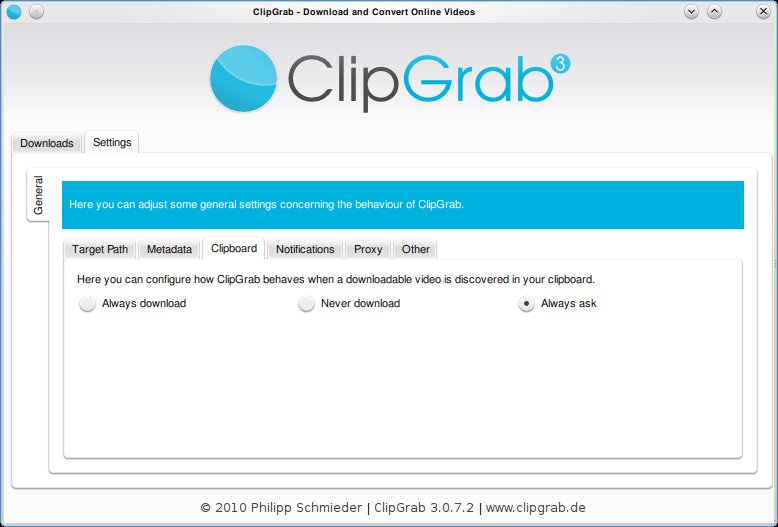
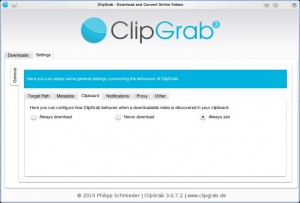
Clipgrab also monitors your clipboard to pick up urls when ever they are copied. Then it throws a notification asking you if you want to download the clip.
Clipgrab is available for Linux, Windows and Mac and can be downloaded from here: http://clipgrab.de/start_en.html

For ubuntu systems you can use the PPA repository to download Clipgrab:

sudo add-apt-repository ppa:clipgrab-team/ppa

sudo apt-get update

sudo apt-get install clipgrab

Enhanced by Zemanta


Categories
Media Open Source Solutions

XBMC – No Cast Info from IMDB

XBMC
Image via Wikipedia

If you have been using the latest release of XBMC you might have noticed that XBMC does not seem to pick up the cast information of a movie from IMDB.  The problem here is that Imdb recently made minor changes to its api  and the infomation we are looking for is not available in the same location.

{adinserter 2}

The Fix

You just need to open the imdb.xml file in “/usr/share/xbmc/system/scrapers/video/” directory in linux systems(you will need to open the file as the superuser: sudo nano/usr/share/xbmc/system/scrapers/video/imdb.xml ) and “system/scrapers/video/” directory under your Xbmc installation directory in Windows.