Problem loading Widget Error – Sometimes Widgets on the Android home page fail to load and are replaced by “Problem Loading Widget” error. The main causes of this error include:
Removal of the Application that gave you that widget
Moving of the specific (Widget) Application from Internal Memory to SD card
Upgrading of the Application
Upgrading of the core operating system (leading to reinstall of the Application)
Change of SD card
There is no simple way to fix this error, as it can depend on what caused the error in the first place and how the Widget was originally designed. Here are some quick steps you can follow to recover your widget:
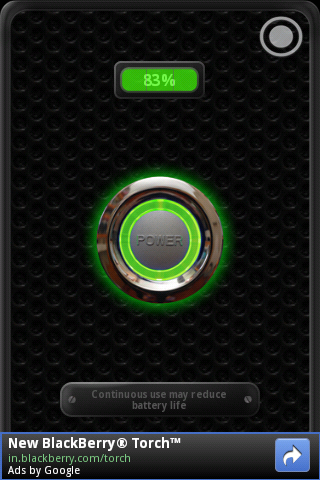
One of the most attractive features of my Galaxy Ace is its LED Flash. This bright light can be used as a torch when needed, unfortunately there is no default app available to make it work.
Whats worse? I could only discover a single app that made this operation possible. The app goes by the name “Tiny Flashlight + LED” and is available in the Android Market.
The app also provides a handy widget that allows you to turn on the torch right from the home screen
The creators of the app say that it works with these phones: Samsung Epic 4G Galaxy S II S2 SII GS2 GSII Tab 7.0 8.9 10.1 Ace Cooper Fascinate Moment Acclaim Transform Mesmerize Charge Behold 7500 Moment, LG G-Slate Ally Apex GW620 KH5200 EVE Shine Plus Optimus 2x G2x Speed, Motorola XOOM Atrix 4G Droid Bionic X 2 i1 Pro R2D2 Backflip Cliq XT Milestone Defy, Nexus, N1, Sony Ericsson XPERIA X10 X3 Neo Pro Play Arc, HTC Incredible G2 Desire HD HD2 EVO Shift 3D myTouch Slide Wildfire Legend Thunderbolt Inspire Sensation Merge, Bright Flashlight, Dell Streak 2.1, Sharp IS01 JN-DK01 SH-10B Lynx IS03 SBM003SH SBM005SH, Pantech Vega SKY X, Sanyo Zio, Toshiba Regza T-01C, bright flashlight, bright led, Garmin Asus A10, Huawei Ideos X5 U8800, Archos Coby Kyros 7015 LED, Acer Iconia A500.
The “Could Not Install On USB Storage Or SD Card” error on Android phones apparently occurs when something goes wrong with the installation of an app and temp file is left on your Android OS. There is a work around and a fix for this problem.
The Fix: Note: I suggest you backup your sd card before you try this method. It worked perfectly on my Galaxy Ace but there is no guarantee that it might not cause any data loss.
I bought the Samsung Galaxy Ace a little over a month ago. The switch to a smart-phone has been quite exciting and here are a few of things that I have had a significant impact on my experience with the Ace.
The Ace was supposed to replace my GPS Navigator, (Basic) Phone and IPod Touch, it managed to do that and more thanks to a few free apps from the Android Market.
The ACE:
One of the most striking features of the Ace is that its a very classy looking phone. The default back cover has a very nice feel and it was this combination that made me pick up the Ace over the Galaxy SL
At a screen size of 3.5″ it felt just the right size in my pockets and my palm, plus it provided enough screen real estate to read documents easily.
The hardware home button provides a little more easy access as compared to the touch based buttons of other phones of the same class. The Back and Menu buttons are touch based and are almost invisible unless activated, another feature that is very soothing to the eyes.
One of the biggest -ve points of the phone is the pathetic earphones that come with the phone. They are at best average and considering the lack of supported earphones for the Ace its a very irritating problem that I have to live thru for now.
Android:
The Android OS is one of the reasons I went for the Ace. The customizability of the OS is one of the biggest advantages over the iOS but on the flip-side the OS is far less stable and its very irritating at times.
GPS
I was pretty blown away by the features packed into Android thanks to the GPS. My iPod touch came without a GPS and the usefulness of one wasn’t evident until I started logging my morning runs and started using navigation.
The GPS tends to drain the batteries but considering that its mostly used inside a car it is better if you have a charging setup for your phone in the car.
The GPS is impressively sensitive and has been a great tool for my runs in the morning.
Phone:
I am not a huge fan of the touch interface for making and receiving calls but the big winner is the central contact system that is wonderfully useful.
I decided against using the default Swype keyboard available with the phone, initially and installed the Swift Keyboard. After using the swift keyboard for a while I switched back to the Swype keyboard and felt much more at home with it.
Music Player:
The default music player wasn’t particularly good and I had to go for the paid Poweramp player. The lack of a controller in the lock screen and all in all better control of playlists were the primary driving factors. I tried Winamp and DoubleTwist but PowerAmp was clearly the best.
So thats my first thoughts about my new smartphone. Its been a great help so far and looks like it will be very hard to move back to the ordinary phone after this.