Categories
Chrome Firefox Open Source Solutions Web

Deleting specific Cookies in Firefox & Chrome

Sometimes when websites are updated,they tend to change the way they manage cookies.  What happens then is that there is a small possibility of certain parts of the website not functioning as the old cookies remain in the browser.  In those cases the best approach is to remove the errant cookie and let the website recreate the cookies.

Here is a quick tutorial on how to do that:

Firefox:

  • Click on Tools, then Options (or Edit | Preferences on Linux)
  • Select Privacy
  • In the Cookies panel, click on Show Cookies
  • To remove a single cookie click on the entry in the list and click on the Remove Cookie button
  • To remove all cookies click on the Remove All Cookies button
  • Voilà, you are done 🙂

Chrome:

  • Click the “wrench” icon on the browser toolbar (usually on the right extreme)
  • Click the Under the Hood tab.
  • Goto the Content settings in the “Privacy” section.
  • Click the Cookies tab in the Content Settings dialog that appears.
  • Click All cookies and site data to open the Cookies and Other Data dialog.
  • To delete all cookies, click Remove all at the bottom of the dialog.
  • To delete a specific cookie, select the site that issued the cookie, then the cookie, and click Remove.
  • Voilà, you are done 🙂
Categories
FaceBook Solutions Web

How to find your Facebook AdminID for Facebook Apps

Image representing Facebook as depicted in Cru...
Image via CrunchBase

Your Facebook AdminID is required for administering many developer based apps. You can figure out your AdminID using the following method:

  • Goto https://graph.facebook.com/{username}
  • In the output you will find the AdminID of the user after the “id” part.
Categories
FaceBook Solutions Uncategorized Web

How to find your Facebook ID for Facebook Apps

Image representing Facebook as depicted in Cru...
Image via CrunchBase

Your Facebook ID (not your login ID) is required for administering many developer based apps (pages, share buttons and open graph based programs). You can figure out your ID using the following method:

  1. Login to Facebook
  2. Go to your photos and click on any of your photosets
  3. Right Click on any photo and open it in a new window
  4. In the url look for the text “fbid” and copy the number right next to it between the ‘=’ and ‘&’.
  5. This number is your Facebook ID.
Categories
Android Apps Solutions

How to disable/customize audio notificaitons for email in Android

Image representing Gmail as depicted in CrunchBase
Image via CrunchBase

I receive a lot of emails and while I like to be on top of my inbox most of the time, I occasionally don’t want an audio notification for every mail I receive. So here is a simple step by step process of disabling/customizing audio notification for the Gmail app in Android.

  • Click on your Gmail icon.
  • Go to “Menu” > “More” > “Settings”
  • Select the email address you’d like to change the setting for (eg yourname@gmail.com)
  • Scroll down and Select “Lables to Notify”
  • Hit the dropdown arrow next to “Inbox”
  • Select “Ringtone” and then select “Silent”(for disabling audio notifications) or your desired ringtone
Categories
Solutions Web

How to check if a Website is actually down?

There are many reasons why a website might not open in your browser. They include:

  • The website being down
  • Your DNS not being able to lookup the IP address of the website
  • Settings in your browser blocking access to the website
  • Routers/Proxy servers redirecting traffic

The possiblity of error might seem to be larger on your side but its deeply frustrating to check every cause and eventually figure out that the problem was actually on the website’s side.  The simplest way to eliminate this possibility is to check the website through http://www.downforeveryoneorjustme.com/

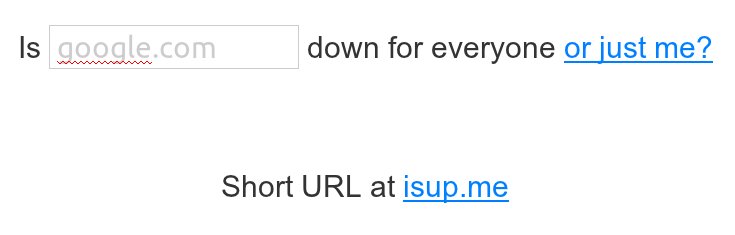
Fire up your browser and point it to http://www.downforeveryoneorjustme.com/

Once there type the website to check, in the space provided and hit enter.

If the website is down you will get something like the following message:

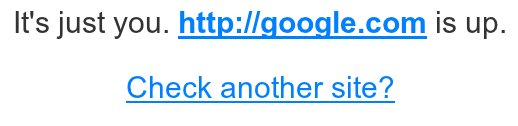
Other wise you will get a message like this one:

In case of the latter, maybe its time to choose a better DNS provider or recheck your browser/router settings