Categories
Linux Solutions

Changing The Frequency Of StartUp Disk Checks On Linux

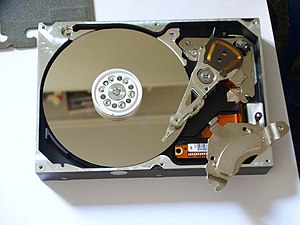
Opened hard drive with top magnet removed, sho...
Image via Wikipedia

Linux systems commonly run on ext2/ext3/ext4 file systems. These file-systems have a built-in feature to tell the operating system to do a disk check while booting up if the number of times the disk has been mounted exceeds a certain number. Most commonly the count is set to 30.

This is an inconvenience to anyone who regularly switches off the system, its even worse if the hard disk sizes reach 1Tb. So changing the number to suit your preference might be an excellent idea.


Changing the maximum mount count:

sudo tune2fs -c 50 /dev/sda1

Here:
tune2fs is the command that allows modification on the disk flags
-c enables the max mount count to be changed to the next parameter(50 in this case)
/dev/sda1 is the partition on which to do the operation

Changing the maximum time count:

sudo tune2fs -i 30d /dev/sda1

Here:
tune2fs is the command that allows modification on the disk flags
-i enables the max time count to be changed to the next parameter(30d in this case means the consecutive checks are scheduled 30 days apart). This parameter can be also give in terms of months(2m for 2 months) and weeks(3w for 3 weeks)
/dev/sda1 is the partition on which to do the operation

Enhanced by Zemanta


Categories
Linux Open Source Ubuntu Web

Setting Up Simple Dropbox Integration with Ubuntu

Image representing Dropbox as depicted in Crun...
Image via CrunchBase

The default installer of Dropbox for Ubuntu works with the Nautilus file manager. But this integration is not always desireable, below is a method to install Dropbox on your Ubuntu box without installing Nautilus.

Categories
Ubuntu

Antivirus in Linux…

Off late I have been looking at Antivirus solutions in linux.  Logically it seems like a great idea to me.  Most of the really bad viruses attack the antivirus system directly and cause major damage to the system, having your AV in a opertating system that is much more secure gives you a better guarantee that you can rescue your system.

There are many antivirus solutions for Linux.  I have personally tried ClamAV and Avast.

ClamAV is a command line tool that makes protecting linux systems a simple affair.  The system was orginally made to scan email attachments and does a great job running in the background.  ClamAV is the prefect soulution for someone who wants to install the AV and let it take care of itself.

To Install ClamAv use the following command in Ubuntu

sudo apt-get install clamav

You can a scan of any folder using the following command

clamscan -r -i -l avscan.txt –move=avscan/. /media/disk

The above command scans the folder “/media/drive” recursively and if an infection is found the original location is stored as an enty in the “avscan.txt” file and the infected file is moved to the folder “avscan”.

Avast Antivirus is the more like the traditional Windows Antivirus.  It has a simple UI for updates and scanning of folders and files.  The learning curve is minimal and the antivius is updated very regularly too.

You can download and install Avast from the following location:

http://www.avast.com/eng/avast-for-linux-workstation.html

Reblog this post [with Zemanta]
Categories
Laptop Ubuntu

Test Drive The All New Ubuntu/Kubuntu Netbook OS


Wubi
Image via Wikipedia

The latest version of (k)Ubuntu comes with a Netbook OS to suit the small screen and moderate horsepower netbook segment of notebooks. The version is light weight and makes good use of the features common between netbooks to get the best out of your netbook.

The official websites recommend you download the iso and create a bootable flash drive using the iso. The step by step method to do it is given in the following links:
Ubuntu – Netbook Remix
KubuntuNetbook Technical Preview


If you are like me and dont want to go thru the process of installing Karmic Koala again, you are in luck… You can test the new Netbook Remix directly from the default desktop install of Ubuntu/Kubuntu.

If you are using Ubuntu you just have to install the “ubuntu-netbook-remix” package. That can be done with the following command:
sudo apt-get install ubuntu-netbook-remix

If you are using Kubuntu you just have to install the “kubuntu-netbook” package. That can be done with the following command:
sudo apt-get install kubuntu-netbook

When you reboot and login you will automatically be taken to the netbook remix of your OS.

PS: The version is one of the earliest releases, so expect updates and more improved performance in the near future.

Reblog this post [with Zemanta]